Tracked hands · Three kinds of play
Reach into
the game.
Hand tracking is not one generic control scheme. It can turn your hands into cabinet controls, let you grasp a chess piece, or feed a seated rover cockpit. Compare the interaction before choosing where to begin.
Before the first gesture
Natural does not mean identical.
Match hands to the task
Direct grasping feels different from operating a cabinet or steering a vehicle. The useful question is what your hands control—not whether a hand-tracking badge exists.
Keep an alternate input ready
Touch controllers provide physical buttons and can be preferable when precision, lighting or tracking consistency changes during a session.
Place comfort first
Clear the reach path and place the board, cabinet or cockpit so your shoulders, wrists and torso remain neutral.
Game by game
Three different jobs for your hands.
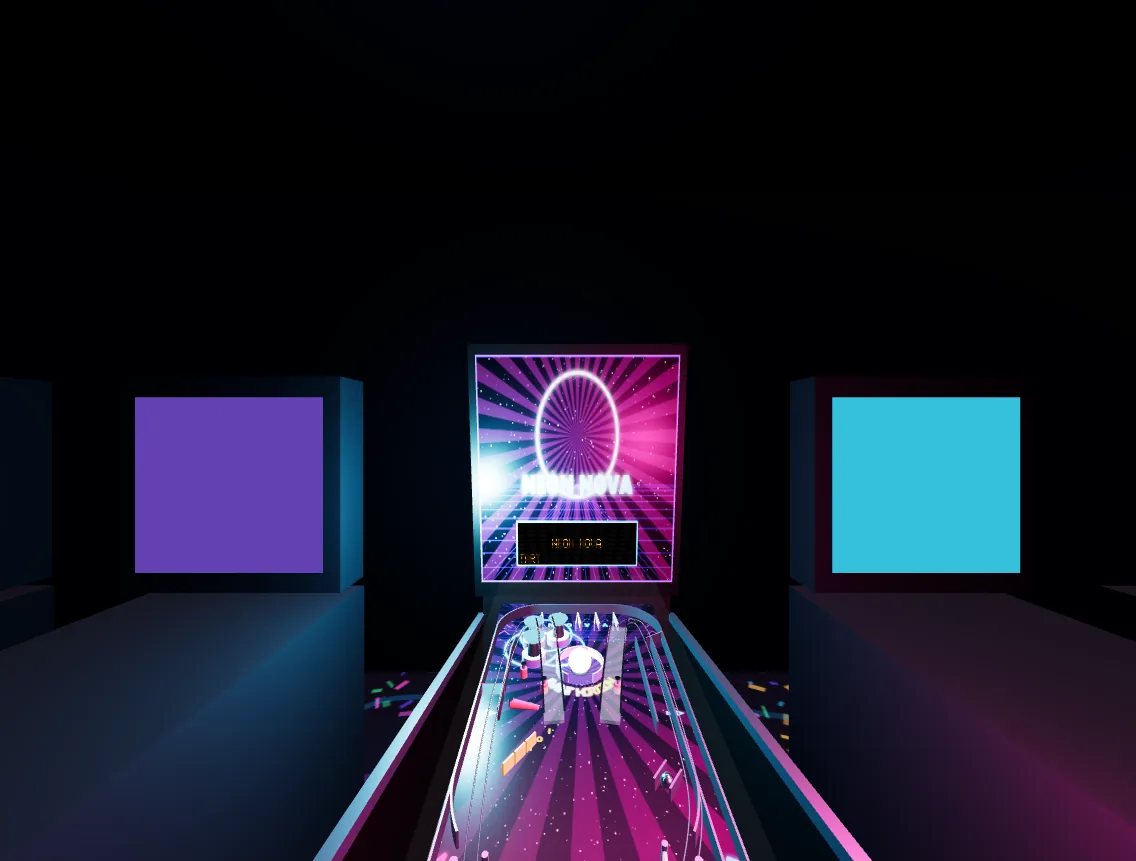 01
01Native Meta Quest · VR + MR
Pinball Arcade
Stand at a full-size NEON NOVA cabinet, reach for the controls, and turn your room into an arcade.- Hands do
- Reach for cabinet-side flipper buttons, pull the plunger and interact with the spatial machine.
- Alternative
- Touch controllers with automatic switching.
- Setup
- Standing cabinet play or a seated comfort mode.
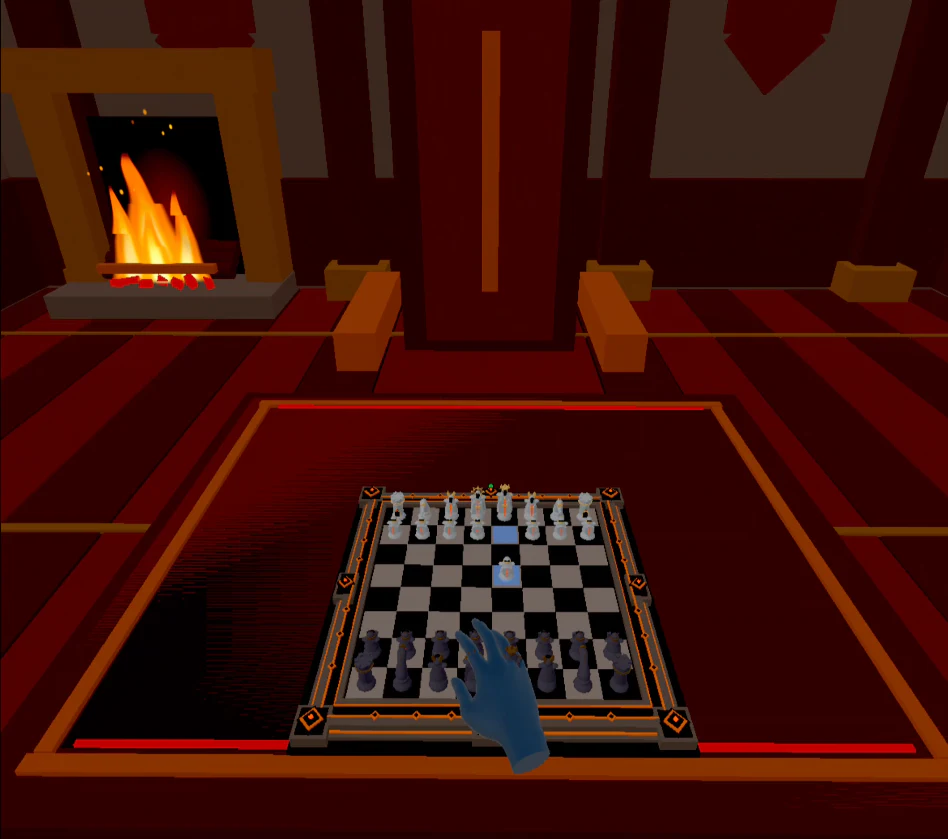 02
02Native Meta Quest · Spatial chess
Chess VR
Place a dimensional chessboard in your room or sit across from it inside an immersive virtual study.- Hands do
- Grasp and move pieces, then use palm and wrist tools around a placed spatial board.
- Alternative
- Touch controllers for deliberate piece and interface input.
- Setup
- Place, rotate and resize the board within comfortable reach.
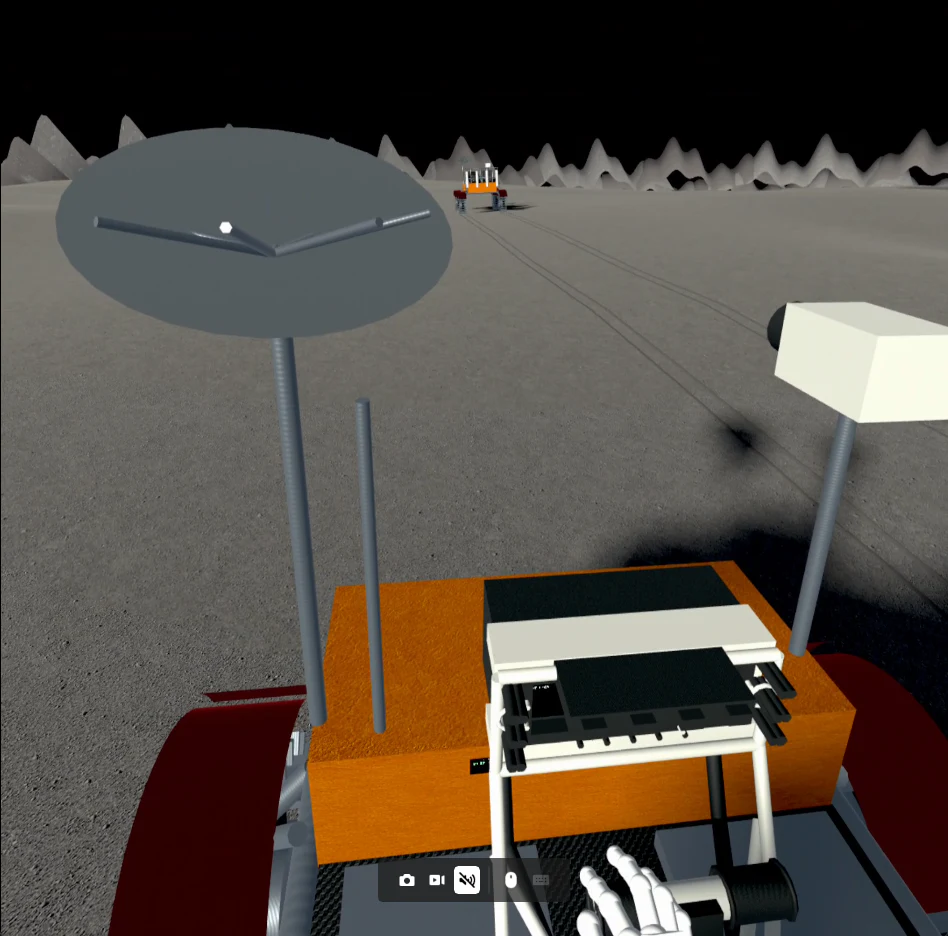 03
03Native Meta Quest · Project Selene
Moon Buggy VR
Drive an Apollo-inspired rover across deterministic lunar terrain where low gravity changes every slope, crater and landing.- Hands do
- Feed the same rover-control layer used by the Apollo-inspired cockpit and physical T-handle.
- Alternative
- Touch controllers or a compatible gamepad.
- Setup
- A stable seated cockpit with enough clear hand space.
Quick comparison
Hands, controllers and posture.
Every title supports tracked hands and at least one alternate input. The interaction and body position remain title-specific.
| Game | Tracked-hand role | Other input | Comfort setup |
|---|---|---|---|
| Pinball Arcade | Reach for cabinet-side flipper buttons, pull the plunger and interact with the spatial machine. | Touch controllers with automatic switching. | Standing cabinet play or a seated comfort mode. |
| Chess VR | Grasp and move pieces, then use palm and wrist tools around a placed spatial board. | Touch controllers for deliberate piece and interface input. | Place, rotate and resize the board within comfortable reach. |
| Moon Buggy VR | Feed the same rover-control layer used by the Apollo-inspired cockpit and physical T-handle. | Touch controllers or a compatible gamepad. | A stable seated cockpit with enough clear hand space. |
Interaction questions
Know before you reach.
Do these Meta Quest games require hand tracking?
No. Pinball Arcade and Chess VR also support Touch controllers, while Moon Buggy VR supports Touch controllers and compatible gamepads in addition to tracked hands.
Can I switch between hands and controllers?
The projects are designed around automatic or shared input handling so supported hands and controller input can feed the same game interaction layer. Use the game page for the current title-specific details.
Which game uses hand tracking most directly?
Each uses hands for a different task: Pinball Arcade maps them to a cabinet, Chess VR uses them to grasp pieces and access spatial tools, and Moon Buggy VR routes them into seated rover controls.
What should I prepare before using hand tracking?
Use a clear reach path, stable headset tracking conditions and a board, cabinet or cockpit position that does not require leaning or twisting. Controllers remain a useful alternative when precision or tracking consistency matters.