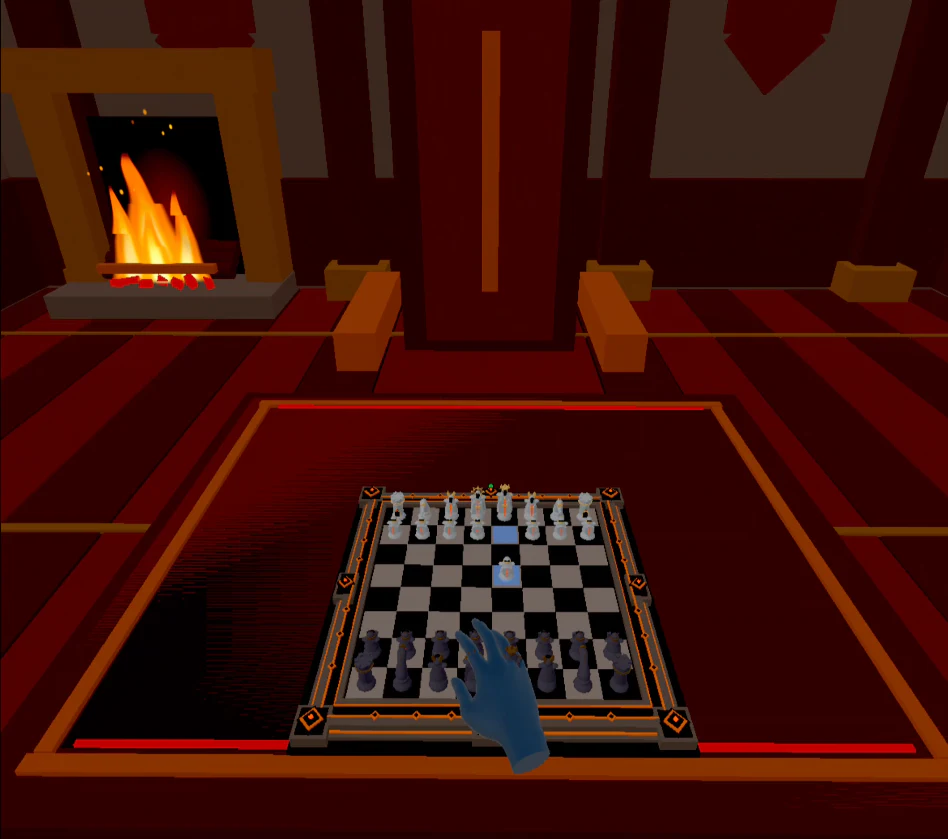
Choose mixed reality or the virtual study
Mixed reality keeps your real surroundings visible and places a dimensional board on a physical table or another convenient surface. It is useful when you want awareness of the room, a familiar chair or a quick session without fully leaving your environment.
Virtual reality moves the board into an immersive study. This removes visual distractions and makes the room part of the experience. Neither mode changes the rules of chess; choose based on comfort, concentration and how much awareness of the real room you need.
Place the board before you place the pieces
Position the board near the centre of your comfortable reach. Rotate it until your near-side pieces align naturally with your shoulders, then resize it so the back rank is visible without leaning. A board can look dramatic at a large scale while still being tiring to use over a full match.
Check the four corner squares and the centre squares before starting. If each can be selected without twisting or overreaching, the placement is likely suitable for a longer session.
- Keep controllers, furniture and drinks outside the active reach path.
- Use a stable seated position for longer games.
- Re-centre or replace the board if tracking or posture changes.
Choose hands or Touch controllers
Tracked hands make piece movement feel direct: reach, grasp and move. Touch controllers provide physical buttons and can be preferable when lighting, tracking or personal precision makes hand input less consistent. Chess VR supports both approaches, so the better choice is the one that produces deliberate moves with the least effort.
Use the palm and wrist tools only after basic piece movement feels comfortable. Learning every interface at once can make the first game feel more complicated than it is.
Select a first match that helps you learn the interface
A computer match is a low-pressure way to confirm board placement, piece selection and menus. Online rooms, rankings and replays become more useful after those spatial basics feel automatic. The launcher also provides access to piece-set choices, saved games and room workflows.
If you prefer to learn the game outside a headset first, Chess in 3-D offers a browser starting point with 2-D and 3-D boards, Stockfish and confirmed voice moves. The browser and Quest experiences are different presentations within the broader chess project.